Interactive Newton’s Cradle Simulator: See Momentum and Energy in Action
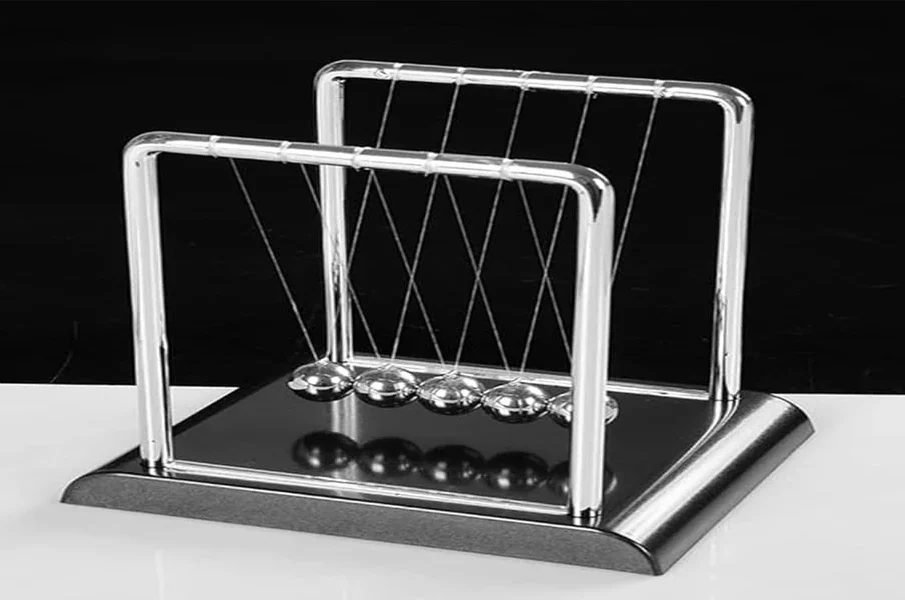
This Newton’s Cradle simulator brings classic physics to life by turning abstract rules into clear, interactive visuals. By testing different binary drop combinations from a single ball swinging left to right up to four balls colliding at once learners develop an intuitive grasp of how motion travels through a system. Simple on-screen controls let users switch smoothly between tracking momentum, kinetic energy, or viewing both together, making it easy to connect every swing to the science behind it. Newton’s cradle simulator offers a useful introduction to mechanical engineering because its performance depends on more than the conservation laws taught in basic physics. The familiar apparatus combines materials, geometry, suspension design and repeated collisions in one compact assembly. Even though it appears uncomplicated, small changes in construction can noticeably alter the motion of the suspended steel spheres.
Students can examine why traditional Newton’s cradles use balls of similar mass and diameter, why the spheres must meet along a consistent line and why a stable frame is important. The material’s stiffness and elastic response influence the brief contact between balls, while imperfections in alignment can introduce sideways movement or unwanted vibrations. Suspension length affects the pendulum period, and friction at the supports contributes to the gradual loss of visible motion.
These features provide a natural introduction to engineering trade-offs. A heavier or more rigid support may improve stability, but it also changes cost and portability. A different ball material may alter sound, deformation and rebound behaviour. Manufacturing tolerances affect whether the theoretical collision pattern is reproduced consistently. Students can explore these differences without requiring a complicated machine or specialist laboratory apparatus.
More advanced activities can introduce impulse, the coefficient of restitution, mechanical damping and energy efficiency. Learners might compare two cradles, inspect construction details or use recorded footage to evaluate the quality of their impacts. Such tasks demonstrate that engineering involves designing systems that behave predictably under real-world constraints, not simply applying ideal equations. For a design challenge, students could propose improvements to a cradle that produces uneven swings, explaining how each modification might reduce unwanted motion. Such comparisons encourage them to justify engineering decisions with observations rather than appearance alone. The Newton’s cradle makes an effective educational bridge between elementary mechanics, materials science, product design and practical problem-solving.
To show how theory compares with the real world, the simulator lets users toggle between frictionless motion and realistic mechanical decay. Learners can watch the energy retention display gradually drop as sound, heat, and air resistance slow the swinging spheres down. For an extra layer of discovery, the built-in Paradox mode visually proves why releasing one ball can never send two balls flying out at half speed, highlighting the exact point where energy conservation rules break down.
Newton’s Cradle Simulator
Compare classical mechanical sphere impacts with parallel-face Active Magnetic Cradle (AMC) dipole carriages.
|
Impacts: 0 | Energy Retained: 100.0%